
Adding your card to Samsung Pay is quick and easy.
1. Open the app on your Samsung device.
2. Select “add”.
3. Align your card to fit inside the frame to take a picture or select “Enter card manually.” Next, enter the security code found on the back of your card and fill in any remaining fields.
To apply for an AdelFi Business Credit Card, please click HERE and complete the form. A team member will contact you to assist with the application process.
Contact a ministry banking relationship manager for guidance and complete a Visa Business Credit Card Application with required documents.
You can apply for an auto loan online in just minutes. We require a parent or guardian to co-sign to qualify for the loan. There’s no fee to apply. If you need more information, please email us at support@adelfibanking.com or call us at 800-347-2228.
Inform us immediately. Call 888.241.2510 for debit cards or 800.VISA.911 for credit cards.
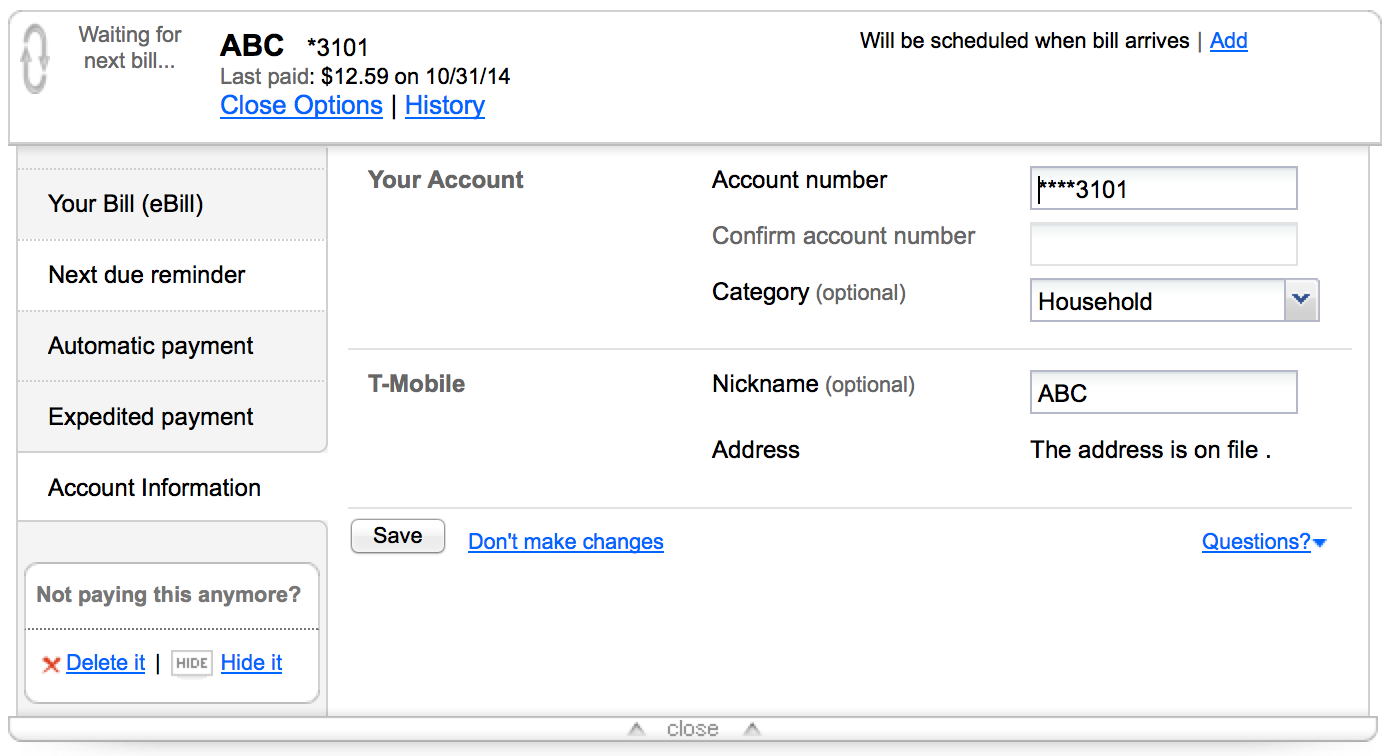
To change a payee nickname click on the “Options” link below the payee name. Then click on the “Account Information” tab. Next, enter a new nickname, and save your changes. (See screenshot below).
Sign on to the Mobile Credit Card App. Expand the options menu by clicking the 3 horizontal lines in the upper left corner, then click on the pencil icon in the upper right corner. You will be prompted to complete a security process and can then move on to updating your password or security questions.
Follow the instructions in the Online Banking User Management Guide.
Download the app on your mobile device. Endorse the back of the check (e.g., “For deposit at AdelFi only” and signature). Follow the on-screen instructions to enter the check amount and take a picture of the front and back.
You can deposit multiple checks at CO-OP shared branches or via Remote Deposit Capture.
All new driver installs and driver upgrades should be installed from the documentation tab in RDCexpress.
Click Profile and Settings > Account Display Options > select the external account > click the pencil by Online Display Name > enter a nickname and click the check mark button.